
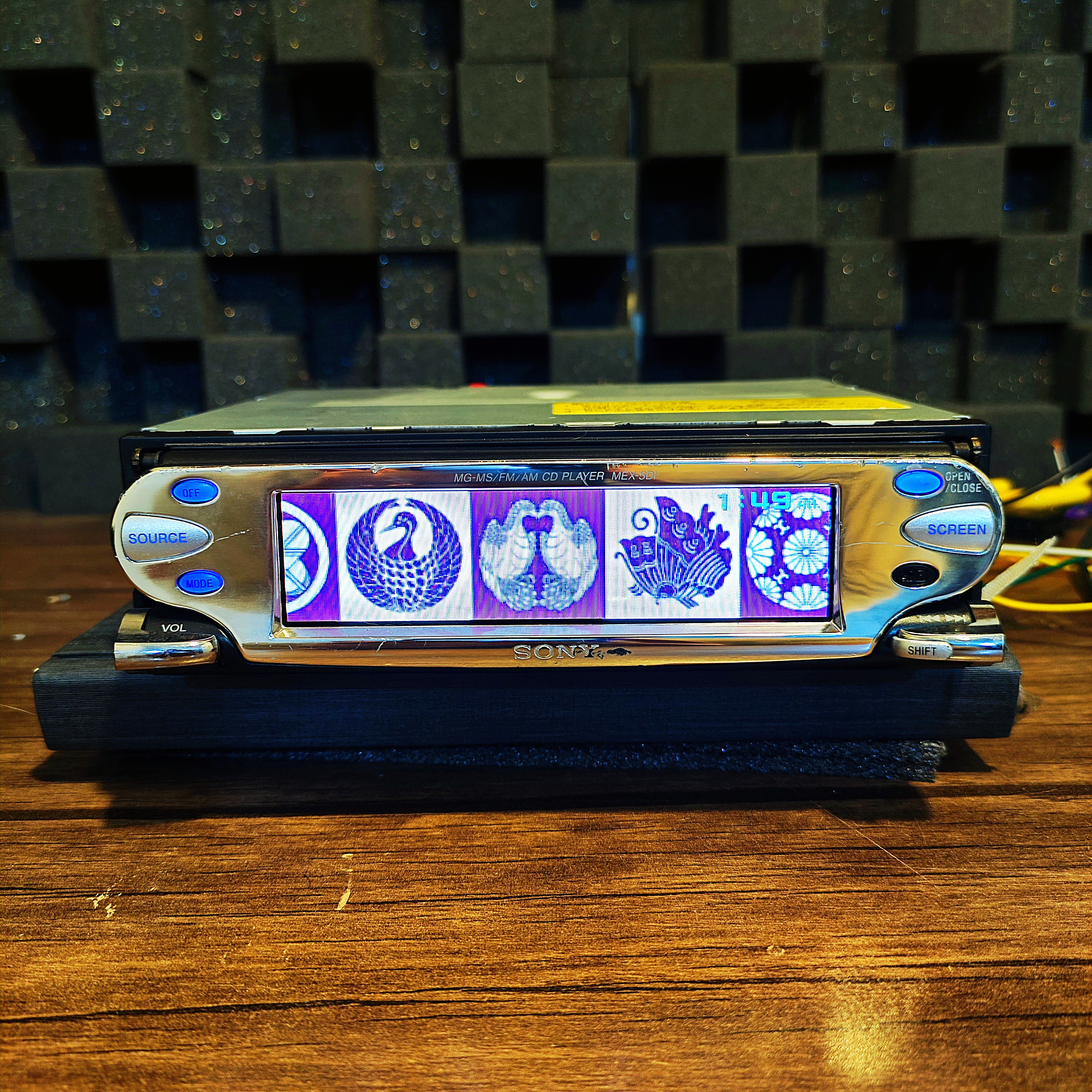
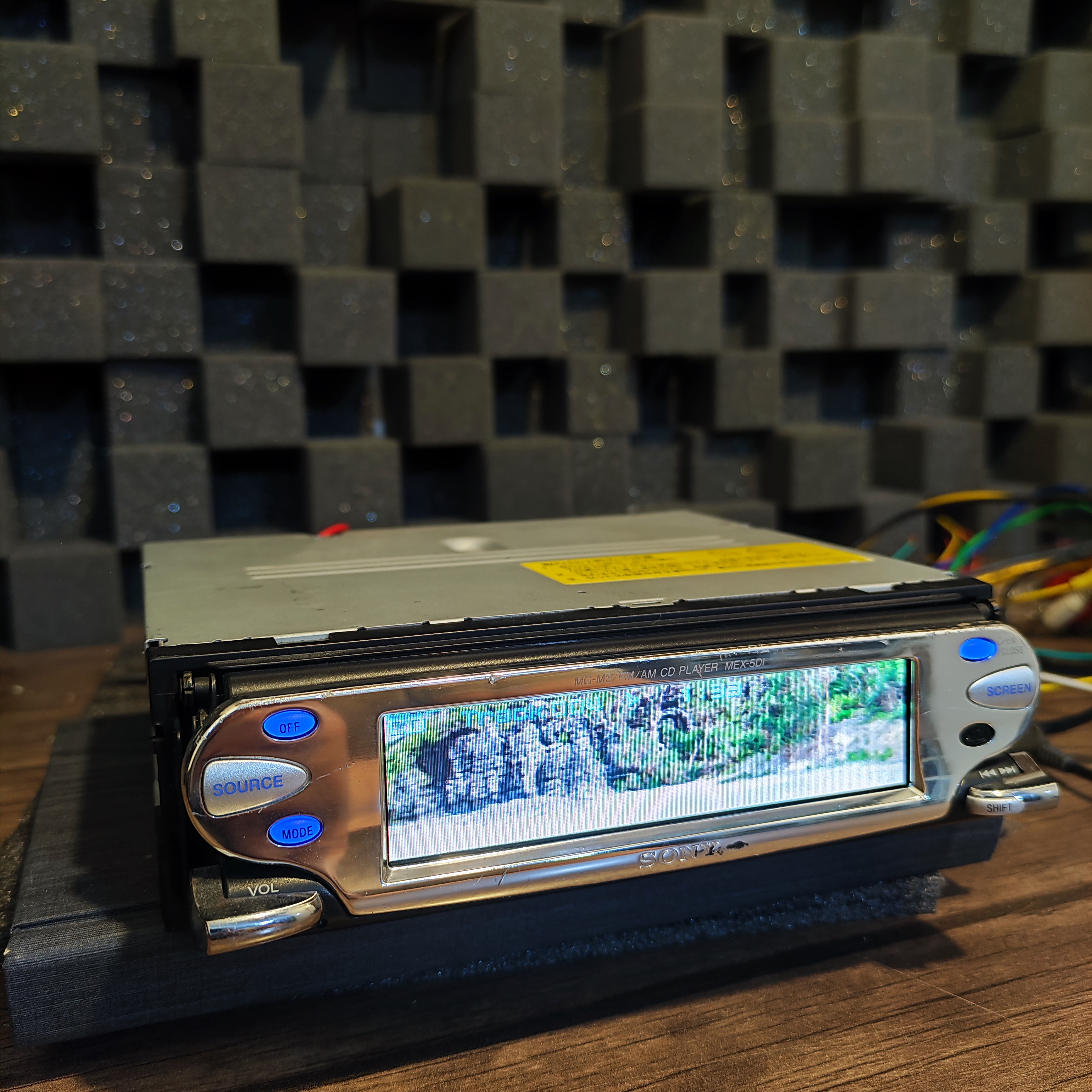
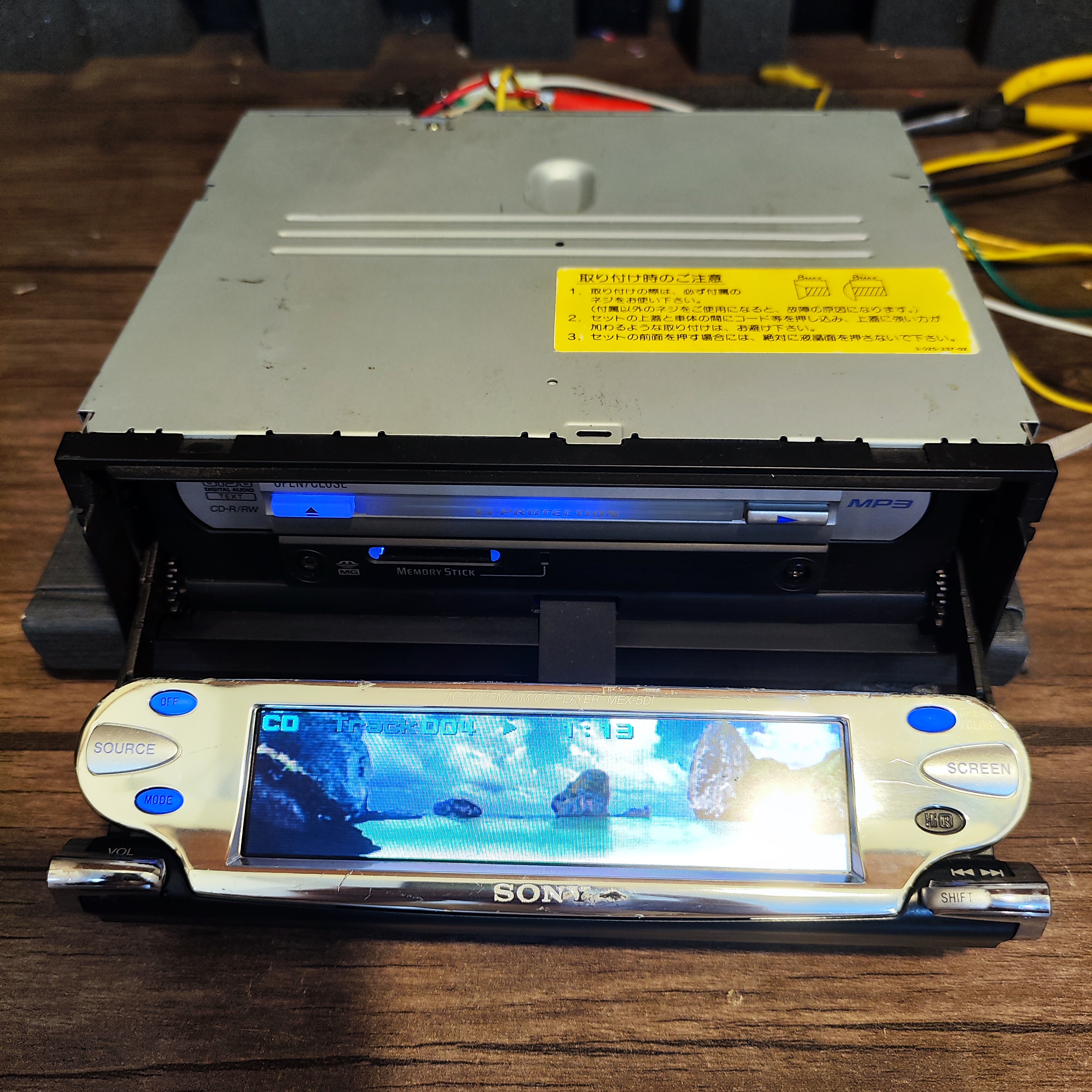
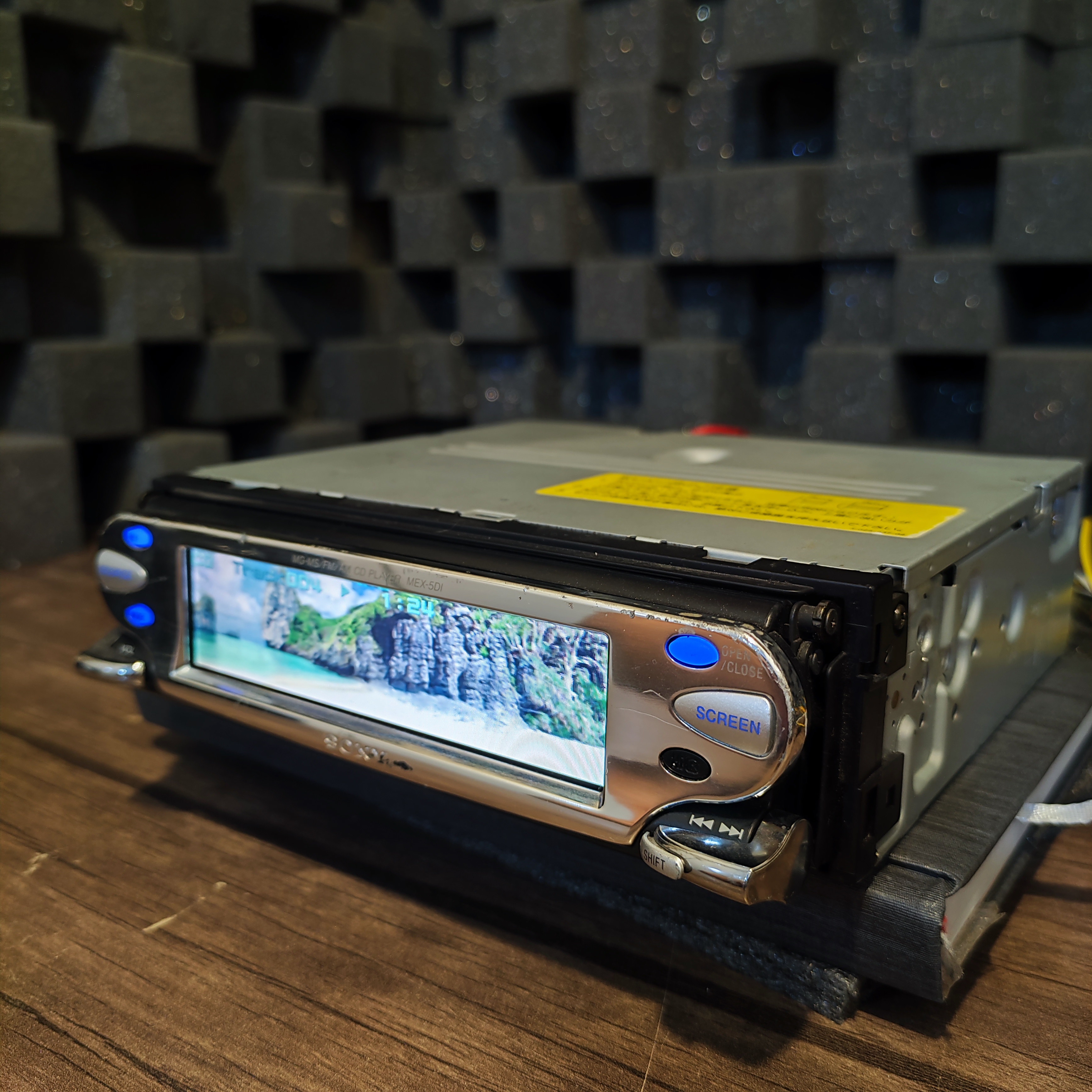
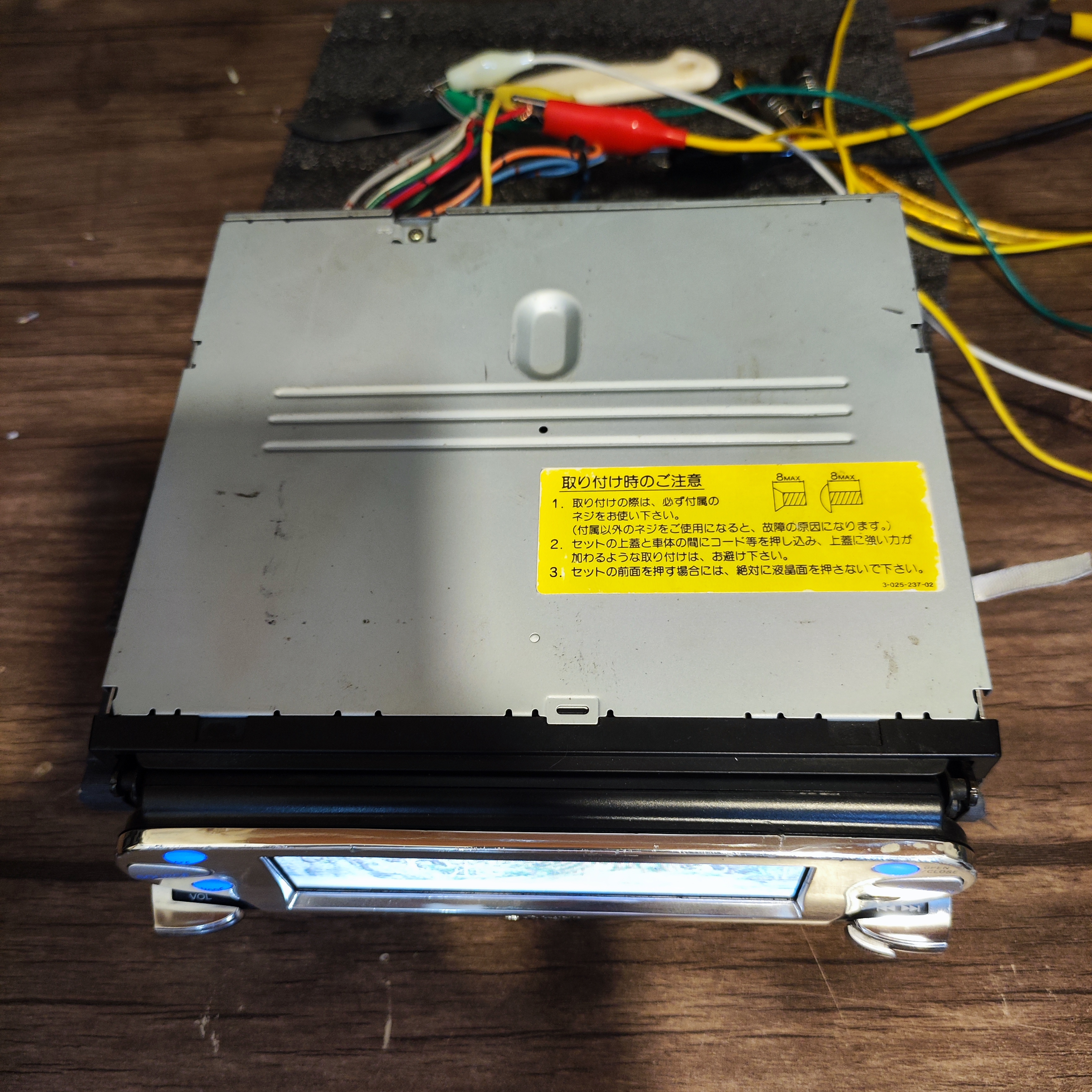
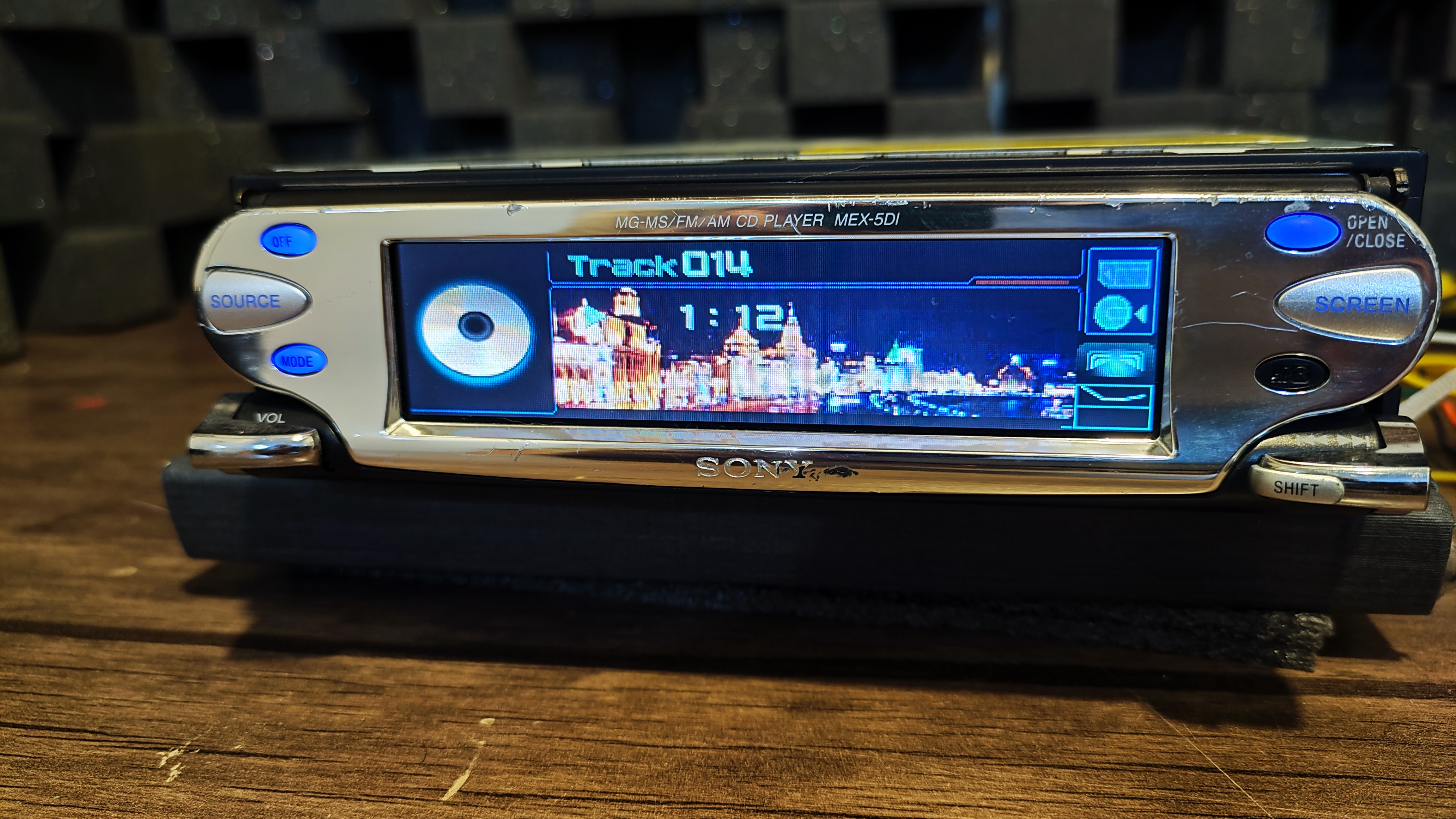
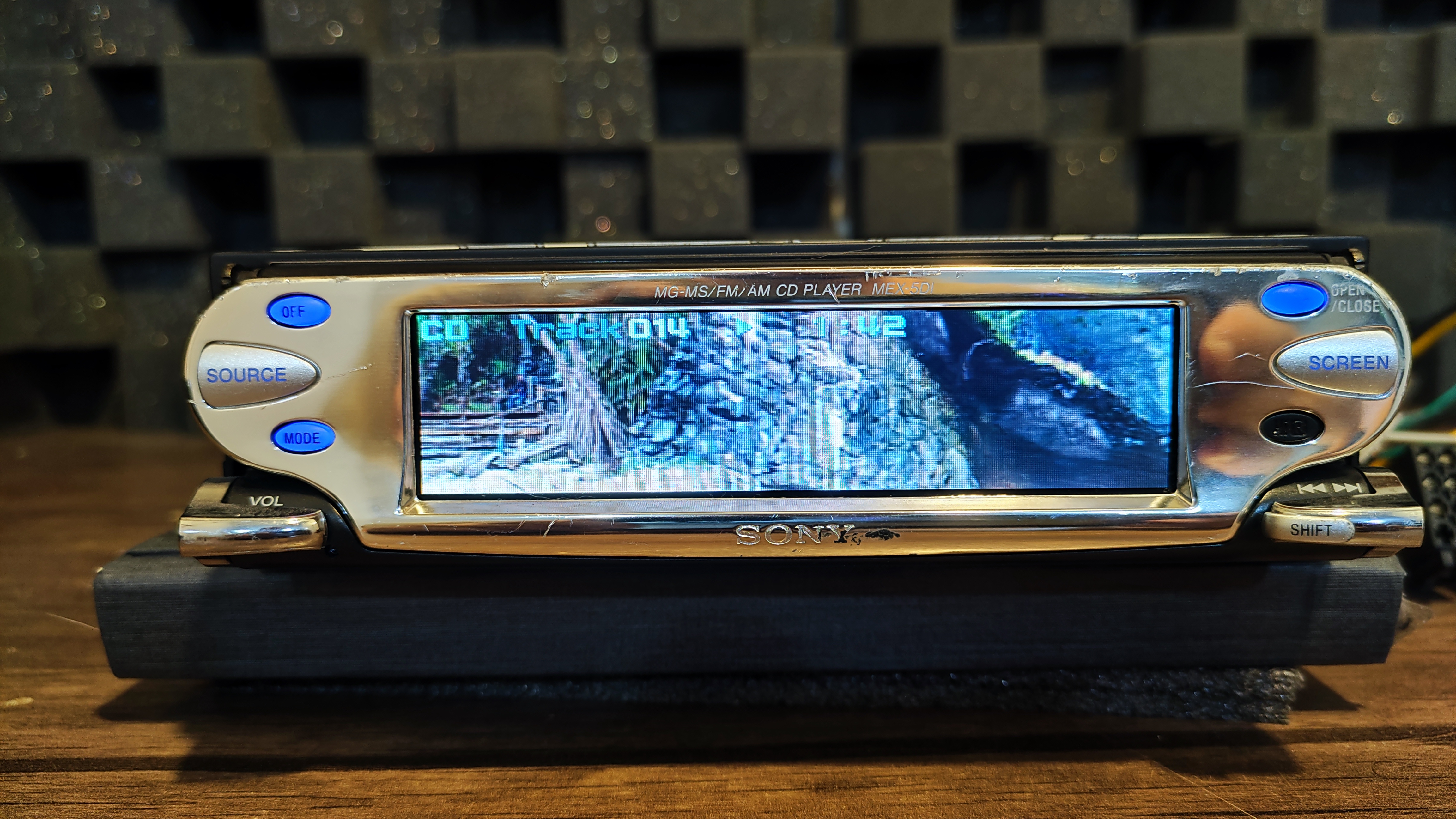
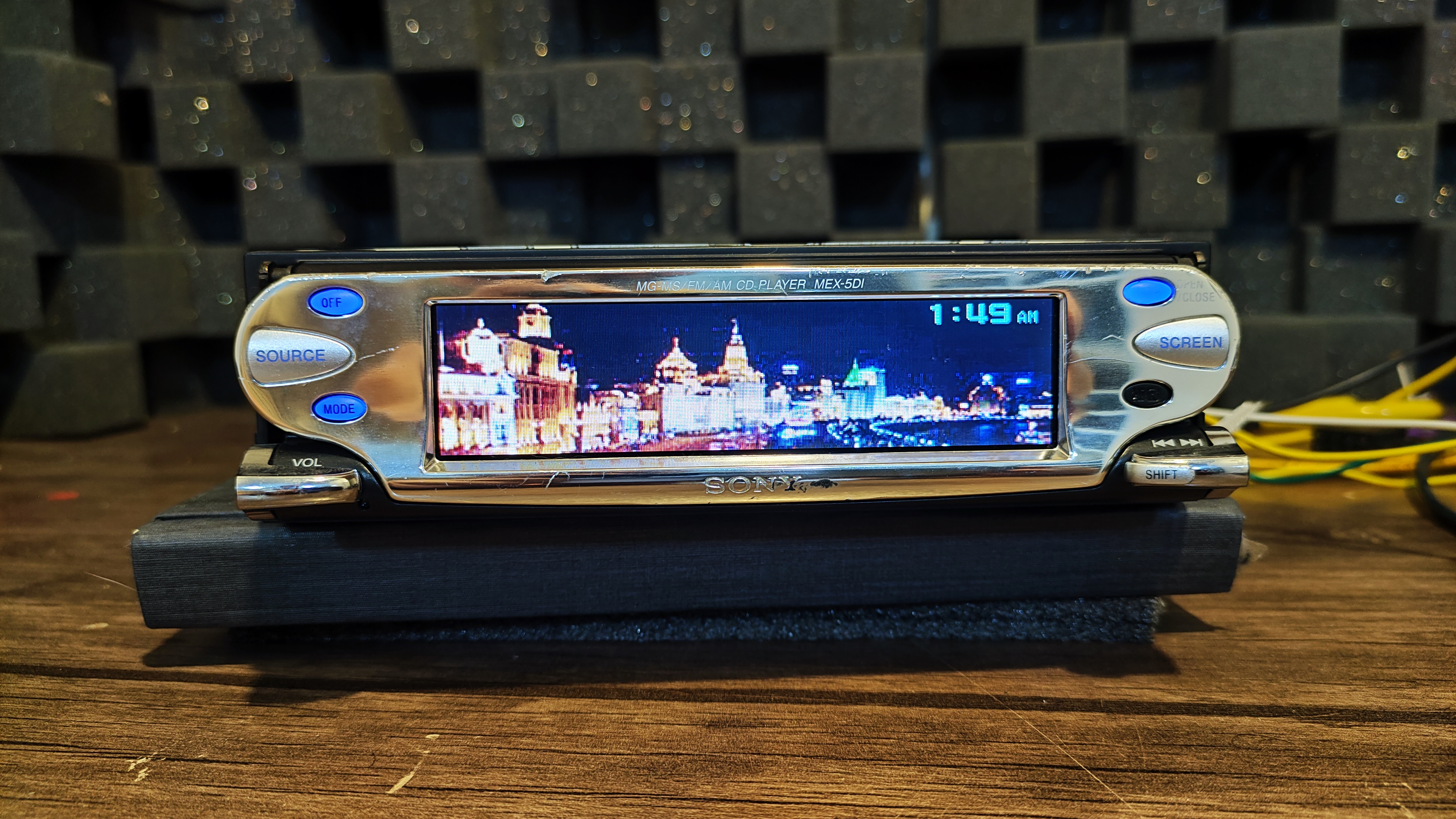
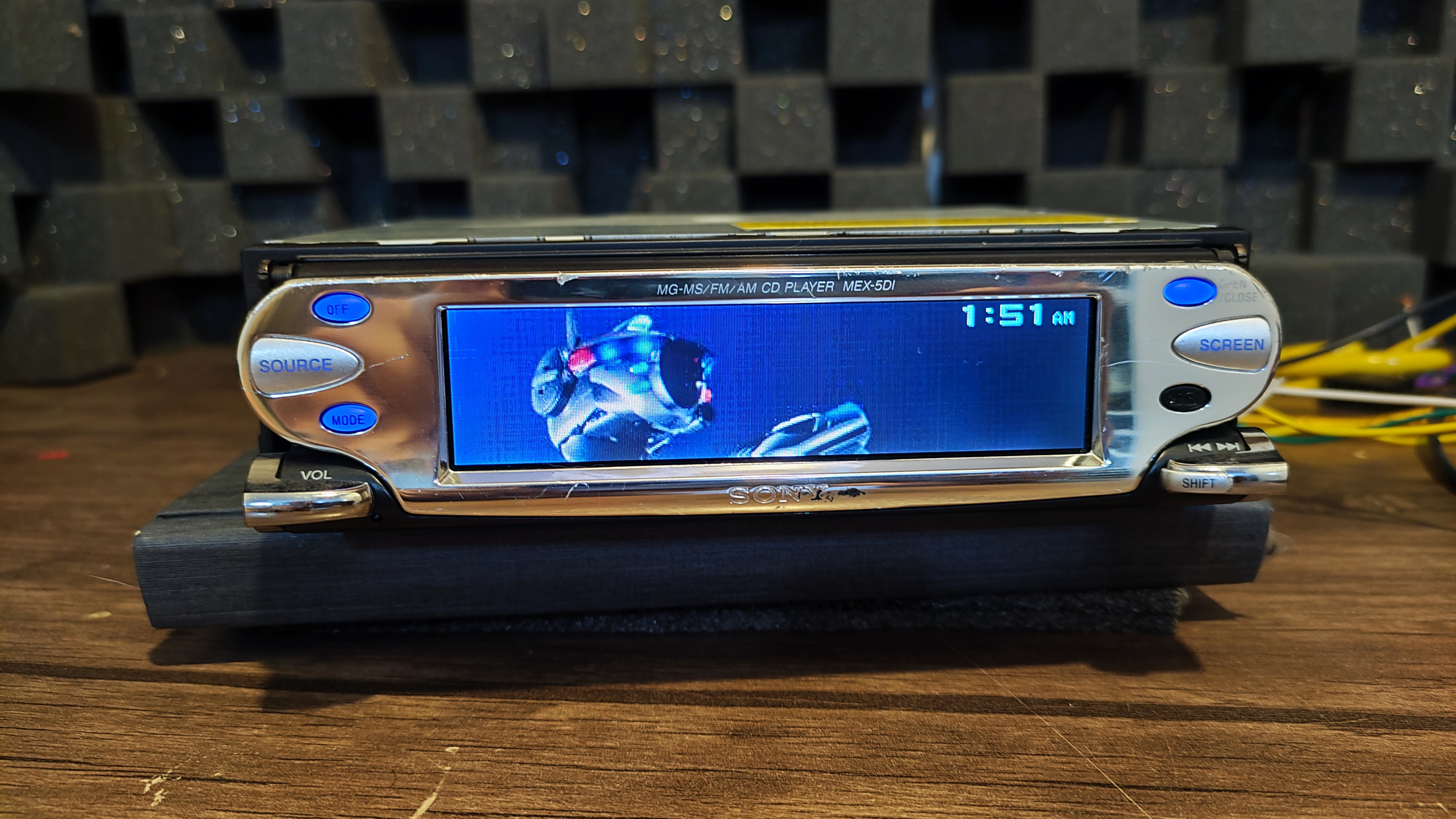
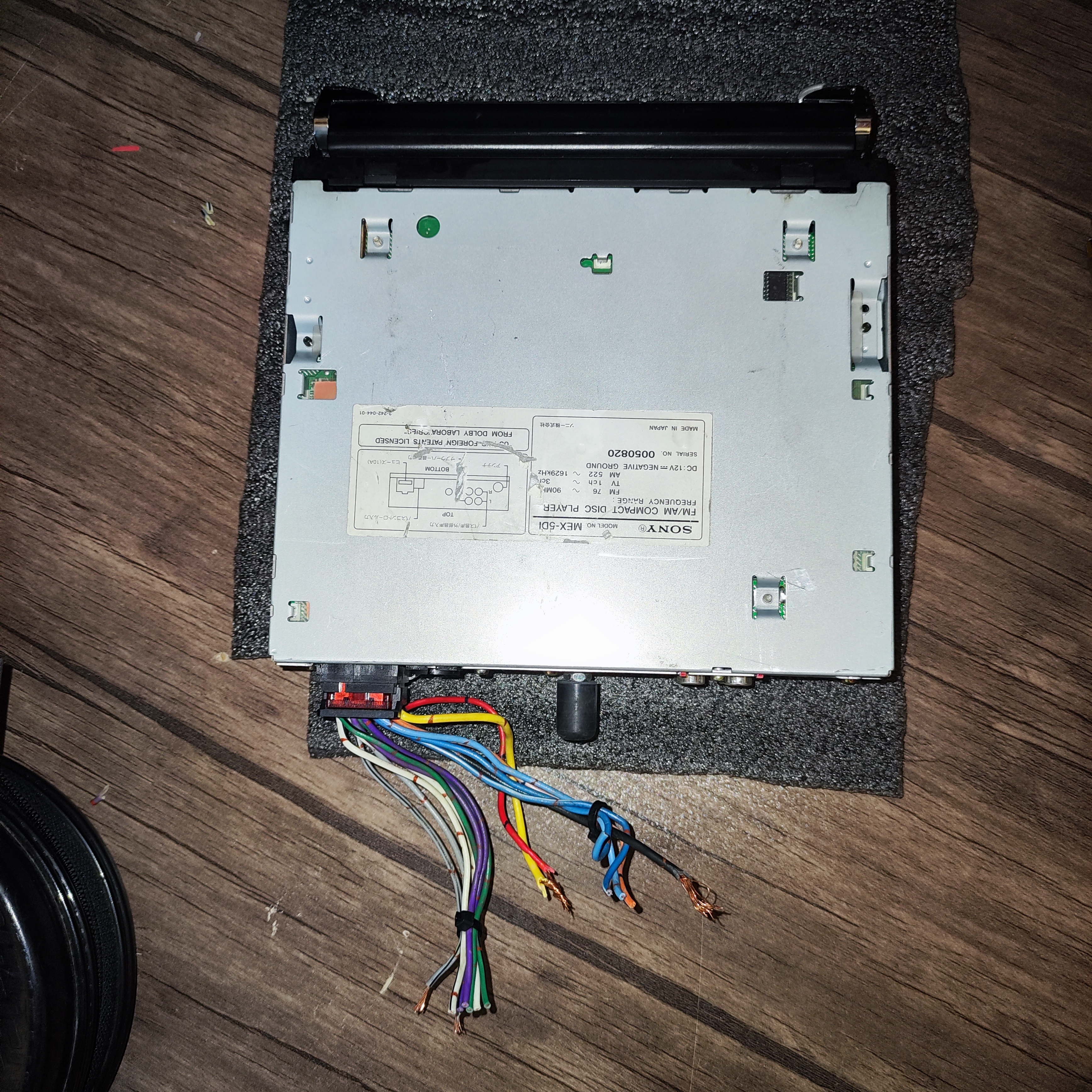
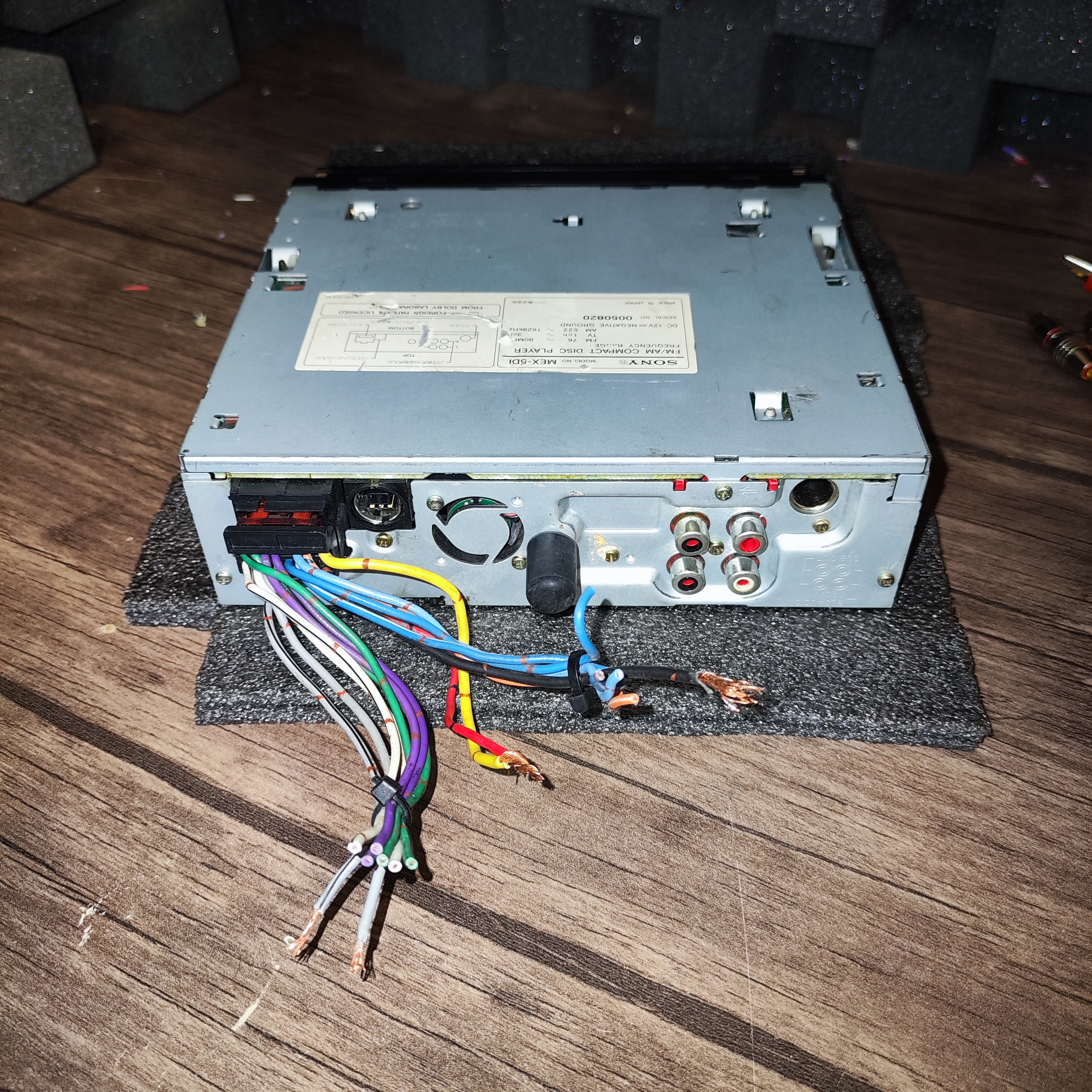
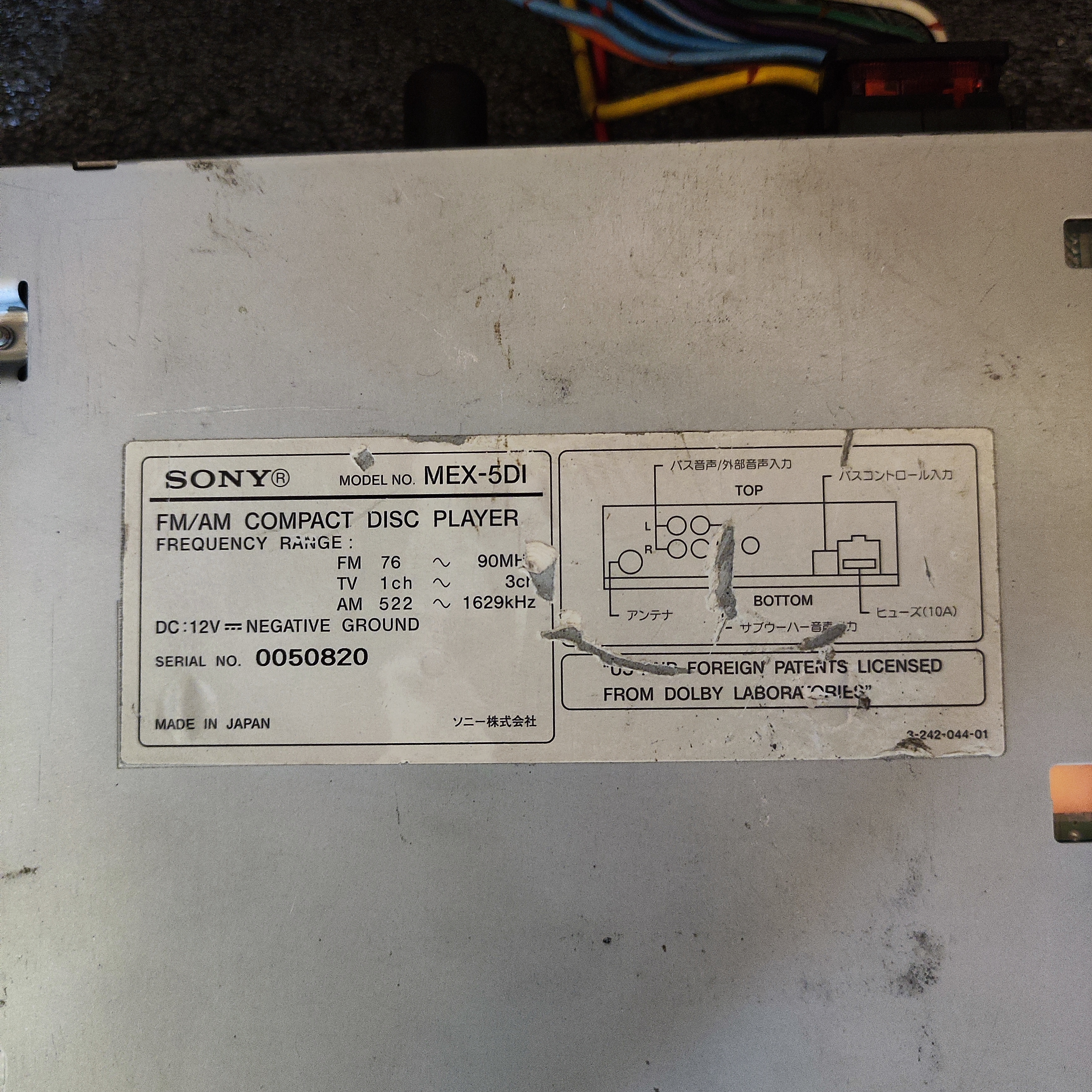


پخش بسیار کمیاب وقدرتمندسونی, Hi-End استوک(کارکرده) ،صفحه رنگی های رزولوشن، دمو دار، دارای ورودی aux، امپ داخلی بسیار قدرتمند، پنل برقی، محصولی کلکسیونی و خاص، ساخت ژاپن🇯🇵
محصولات مرتبط


پخش بسیار کمیاب وقدرتمند از شرکت SONY
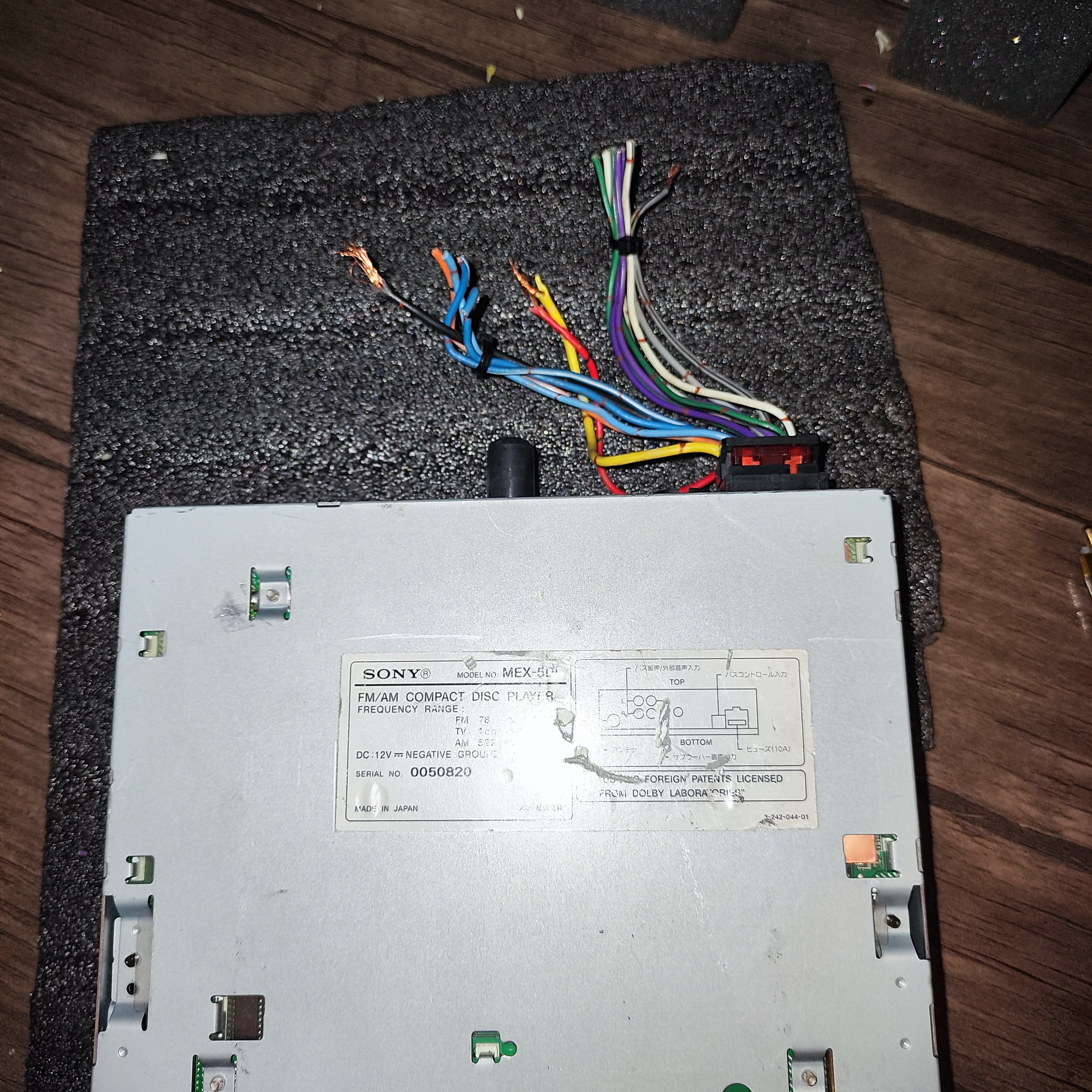
SONY MEX-MD5
Hi-End
ساخت ژاپن🇯🇵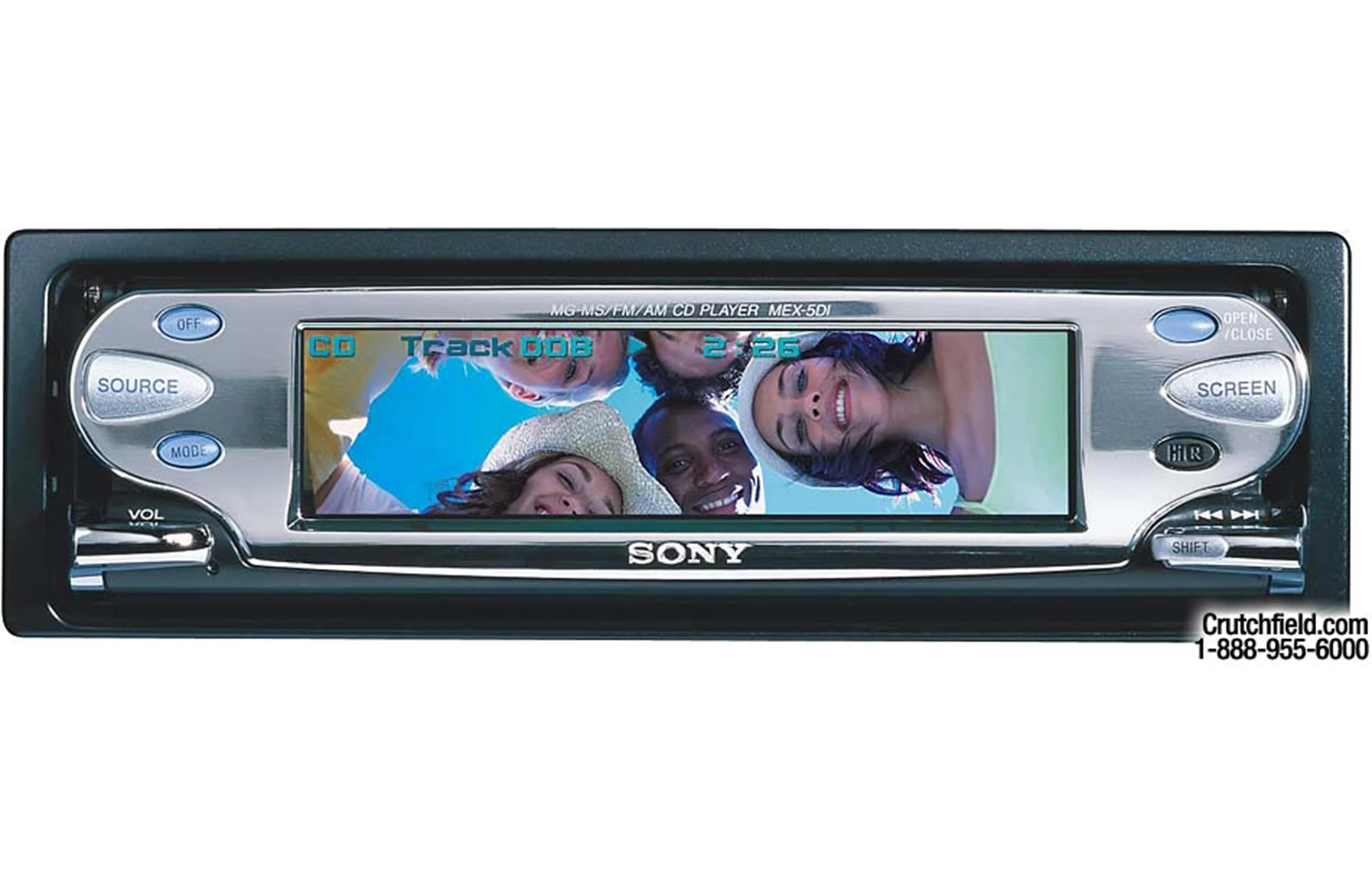
سال ۲۰۰۲ میلادی، هنگامیکه شرکت پایونیر با پخش DEH-9450MP هفتصد دلاری خود در حال یکه تازی در بازار بود، شرکت سونی یکی از لوکس ترین پخشهای خود را با برچسب قیمتی ۱۰۰۰ دلار روانه بازار کرد.
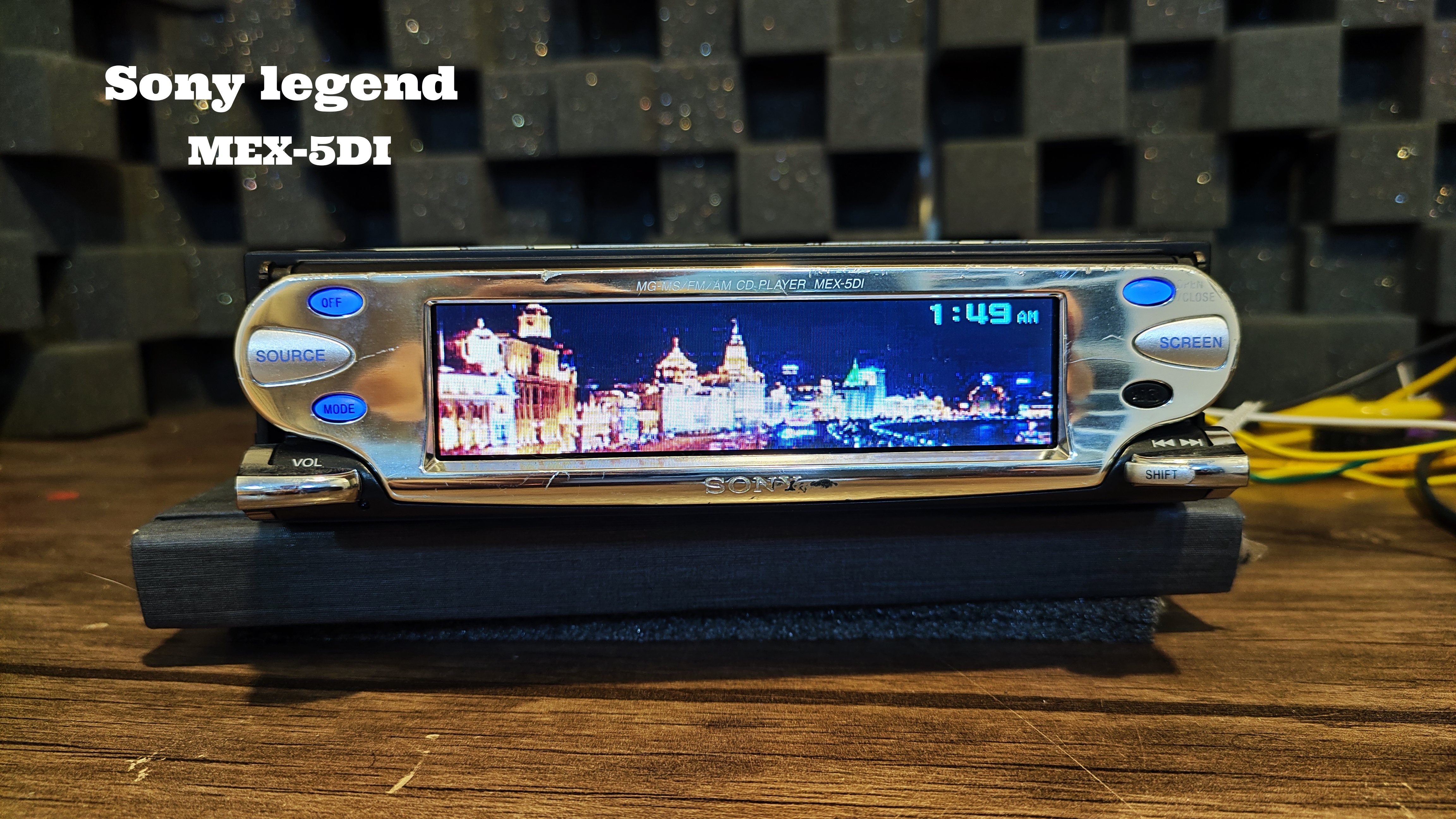
مدل SONY MEX-5DI جز خاصترین و کمیابترین پخش های سونی ساخت ژاپن که Hi-End میباشد, در نگاه اول همه نگاه ها را به خود جلب میکند. پنل آلومینیومی همراه با شاسی های خاص خود و پنل برقی که کیفیت ساخت فوق العاده ای دارد و در کنار این ویژگی ها تعداد زیادی دموهای بسیار زیبا که با صفحه رنگی های رزولوشن TFT و صفحه نمایش بزرگ زیبایی دوچندانی به پخش و کابین خودرو میبخشد.
مشخصات:
- ساخت ژاپن Hi-End
- دارای ورودی AUX
- 2 عدد خروجی RC
- صفحه نمایش بزرگ HI-RESOLUTION با تکنولوژی TFT
- دمو دار ( بیش از 20 مدل دمو حرفه ای) رنگی های رزولوشن و صفحه تمام رنگی(32000رنگ)
- قابلیت اضافه کردن عکس به عنوان والپیپر
- ساپورت سی دی MP3 , WAV
- امپلیفایر قدرتمند داخلی(طبق تست انجام شده خروجی امپ داخلی روی 17 اهم 19 وات میباشد!!)
- ساپورت مموری کارت MG (فرمت قابل پخش از MG card باید به صورتATRAC3 music)
- دارای 7 باند اکولایزر روی فرکانسهای زیر و8 اکولایزر پیش فرض
62Hz, 157Hz, 396Hz, 1kHz, 2.51kHz, 6.34kHz, and 16kHz. The level of each frequency can be adjusted from +10dB to -10dB in 1dB increments.
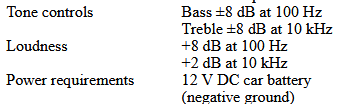
- تنظیم BASS
- تنظیم Treble
- تنظیم loudness
- تنظیم (DSO(Dynamic Soundstage Organizer
- پنل برقی
- قطعات صوتی تخصصی
- لنز درایو سی دی در سلامت
- پنل برقی در سلامت بدون صدای اضافه
*نکته مهم: دسترسی به تنظیمات صوتی پخش نیازمند کنترل پخش میباشدکه روی پخش نمیباشد (ولوم، تعویض ترک، تعویض دمو، نوع صفحه نمایش ،باز و بست کردن پنل و باز و بست کردن درایو سیدی نیاز به کنترل ندارد)
*وسایل: سوکت پخش، زه
پخش استوک کارکرده میباشد
سعی شده تصاویر با کیفیت قرار گیرد، لذا تصاویر را ملاک خرید قراردهید*
.
فیلم تست 👇
.
--------------------------------------------------------------------------------------------------
General
| RMS Power (CTA-2006) | --- |
| RMS Power (Manufacturer) | --- |
Expandability
| AUX Input | Rear |
| Audio/video Input | --- |
| USB Input | --- |
| USB Port Power | --- |
| Backup Camera Input | No |
| Second Camera Input | No |
| Camera Input (Marine) | N/A |
| Preamp Outputs | 2-channel |
| Sub Preamp Outputs | Yes |
| Switchable Rear Preamp Outputs | --- |
| Memory Card Slot | Memory Stick |
Smartphone Control
| iPhone Compatibility | --- |
| CarPlay | No |
| Siri Control | No |
| Android Control | No |
| Android Auto | No |
| Alexa Voice Control | No |
Tuner
| FM Sensitivity | 8 dBf |
| European Tuning | No |
| Seek/Scan | Seek |
| Radio Data System | No |
File Playback
| Music File Playback | --- |
| High-res Playback | --- |
Navigation Control
| Navigation | --- |
| Navigation App Compatible (iOS) | --- |
| Navigation App Compatible (Android) | --- |
Features & Specs
| Bluetooth Compatible | --- |
| Bluetooth Version | --- |
| Satellite Radio Ready | XM |
| HD Radio | --- |
| Video Screen | No |
| Preamp Voltage | 2.0 |
| Screen Size | --- |
| Screen Type | --- |
| Display Color | 32,000 colors |
| Key Button Color | Blue |
| EQ Bands | 7 |
| Wireless Remote | Y |
| Steering Wheel Control Compatible | --- |
| Parts Warranty | 1 Year |
| Labor Warranty | 1 Year |
Dimensions
| Chassis Depth | 7.011 |
| Chassis Width | 7.161 |
| Chassis Height | 2.087 |
Our in-depth product research

Researched by Crutchfield'sStacey B.
Features
Changer Controls
Note
Features
Motorized Tray CD Mechanism: When loading a CD, the motorized face folds down and the motorized tray extends. After the disc is loaded, the tray retracts and the face returns to its normal position. The motorized tray mechanism does more than just add ease of operation, and impressive motorized function. It helps to seal the playback chamber, keeping CDs dust-free, and isolates the playback process from airborne vibration, especially in extreme SPL conditions. Note: Please allow at least 4.5" in front of the face for the motorized tray mechanism to open and close.
Memory Stick Slot: Using the Memory Stick slot, Image data (JPEG, BMP, GIF, PNG) stored on a Memory Stick can be displayed/stored in the display of this unit. In addition, the Memory Stick slot lets you play ATRAC3 music files you've transferred onto a MagicGate Memory Stick from a PC or portable audio device.
32,000-color Display: This unit has a 32,000-color Thin Film Transistor (TFT) screen that you can customize with your own digital photos and animations.
Display Mode: You can select from the following display modes:
- Standard Mode: allows you to select Standard Mode 1 or Standard Mode 2. Both modes display source, track number, elapsed playing time, disc name, track name, and sound settings. In both modes, an icon of the source is shown in the left portion of the display. In Standard Mode 1, a spectrum analyzer is shown in the center of the display. In Standard Mode 2, wall paper is shown in the center of the display.
- Spectrum Analyzer Mode: displays a pre-stored spectrum analyzer on the whole screen
- Panorama/Wall paper Mode: displays pre-stored images or images from a Memory Stick on the whole screen. You can select Panorama (an image scrolls) or Wall Paper (displays a wall paper on the whole screen).
- Screen Saver Mode (called "Full Motion Mode" in Sony product literature): plays pre-stored full-motion screen savers
- Clock/Slide Show Mode: allows you to select Clock or Slide Show mode. In Clock Mode, source information and the clock are shown on the display. In Slide Show Mode, images stored on a Memory Stick are shown as a slide show.
Wall Paper: You can display images stored on a Memory Stick as wall paper. Once you have selected an image from the Memory Stick, you can rotate the image and adjust its size. After the picture has been adjusted, you can select one of the following display types: Center (displays the image in the center of the display), Tile (the selected images are lined up horizontally in the display), or Full (adjusts the image to fill the whole screen). The images can be stored as JPEGs (1600x1200 dots or less), BMPs (640x480 dots or less), GIFs (640x480 dots or less), or PNGs (640x480 dots or less). You can transfer up to 100 wall paper images from a Memory Stick to this unit's internal memory.
Panorama Mode: In Panorama Mode, you can scroll a still image from a Memory Stick or display the image in a tile format. Images can be scrolled horizontally or vertically. The images can be stored as JPEGs (1600x1200 dots or less). You can transfer up to 100 panorama images from a Memory Stick to this unit's internal memory.
Jacket Picture: You can store and set a favorite image for up to 100 discs. The images are shown in the source area of the display in Standard Mode. The images can be stored as JPEGs (1600x1200 dots or less), BMPs (640x480 dots or less), GIFs (640x480 dots or less), or PNGs (640x480 dots or less). You can transfer up to 100 jacket pictures from a Memory Stick to this unit's internal memory.
Clip Motion: You can store your favorite GIF image or GIF animation file for each source. They are shown in the source area of the display in Standard Mode. If a GIF animation is chosen, up to 10 frames of the GIF animation will be shown if the image size is 160x120 dots or less. If the image size is 84x84 dots or less, up to 20 frames will be displayed. You can transfer up to 16 clip motions from a Memory Stick to this unit's internal memory.
Slide Show: This feature allows you to scroll through up to 100 images on a Memory Stick. The images can be stored on the Memory Stick as JPEGs (1600x1200 dots or less), BMPs (640x480 dots or less), GIFs (640x480 dots or less), or PNGs (640x480 dots or less). Slide Show images cannot be transferred to the unit's internal memory.
Contrast Adjustment: The display contrast may be adjusted from -10 to +10 for optimum readability.
XM Satellite Radio Controls: This unit can control an optional Sony XM tuner (sold separately). The optional tuner, along with an antenna and subscription, will allow you to receive XM Satellite Radio. XM Satellite Radio programming features up to 100 channels of digital-quality music, news, talk, sports, entertainment, and children's programming.
EQ7: You may select one of the following EQ presets: Vocal, Club, Jazz, New Age, Rock, Xplod, or Custom. For each preset, you can adjust the following frequencies: 62Hz, 157Hz, 396Hz, 1kHz, 2.51kHz, 6.34kHz, and 16kHz. The level of each frequency can be adjusted from +10dB to -10dB in 1dB increments.
Dynamic Soundstage Organizer (DSO): When the DSO function is used in a vehicle equipped with speakers mounted low in the front doors, it creates virtual speakers in the dash to raise the soundstage. You can select the following DSO settings: DSO 1, DSO 2, DSO 3, or Off.
SSIR-EXA Adaptive Reception: The SSIR-EXA tuner is equipped with "Adaptive Reception". The Adaptive Reception feature has two modes ("IF Auto" and "Wide") for optimizing FM reception. The "Wide" mode decreases the tuner's selectivity but results in better frequency response. The "IF Auto" mode automatically adjusts the tuner for a good balance between frequency response and minimum station-to-station interference. The Adaptive Reception feature cannot be turned off.
Best Tuning Memory (BTM): This feature selects stations with the strongest signals within the selected band and stores them in order of their frequency.
Station Memo: You can assign a name of up to 8 characters in length to each tuner preset station. Station Memos can be used with the List-up function to locate a station.
MagicGate Memory Stick Compatible: The Memory Stick slot lets you play ATRAC3 music files you've transferred onto a MagicGate Memory Stick from a PC or portable audio device. When playing music on a MagicGate Memory Stick, you have access to the following functions: track skip, audible track search, and track repeat.
G-Protection: G-Protection offers superior protection against mis-tracking, providing virtually skip-free playback. G-Protection features a motorized tray isolated from shock by gel filled dampers, a Quick Focus pickup and a 3 second electronic memory circuit, which acts as a buffer. Unlike other skip protection systems, G-Protection doesn't need a huge memory buffer to prevent skipping. Instead, the mechanical components of the G-Protection system do most of the work, and the 3 second buffer plays only a small part in skip prevention.
MP3 Playback: This unit can play MP3 files recorded on CD-ROM, CD-R, and CD-RW discs in ISO9660 Level 1/Level 2, Joliet, and Romeo formats.
Mono Subwoofer Preamp Outputs: In addition to stereo front and rear preamp outputs, this unit includes one set of mono subwoofer preamp outputs. Although there are two female RCA subwoofer outputs, the same signal is carried by both connections. A low-pass filter (see below) can be used to filter high frequencies from the signals output by the subwoofer outs. The subwoofer volume level can be adjusted from -10dB to +10dB in 1dB increments.
High-pass Filter: The front and rear preamp outputs have a selectable high-pass filter that may be set to 78Hz, 125Hz, or Off.
Low-pass Filter: The subwoofer preamp outputs have a selectable low-pass filter that may be set to 78Hz, 125Hz, or Off.
Auxiliary Input: Stereo RCA preamp inputs on back of the unit allow you to connect a portable audio source. These inputs are also used as the Bus Audio In when connecting a compatible Sony changer. When a compatible changer is connected to this unit, you cannot connect an auxiliary source.
Cellular Mute Lead: This unit is equipped with a lead that mutes audio output when a cellular call is received, then restores the level once the call is over. To use this feature, you must have a cellular phone with a muting output that can be connected to the cellular mute lead.
Dimmer: This unit is equipped with a wire that Sony calls an illumination lead, however, it acts as a dimmer lead. When the dimmer mode is set to "Auto" and the illumination lead receives power, the display dims to a preset level. The display brightness is not affected by the vehicle's dimmer control. Also, the dimmer feature may be turned off, so dimming does not take place when the illumination lead receives power. You may choose to dim the display at all times by setting the dimmer mode to "On". Note: For this feature to work, the unit's illumination wire must be connected to your vehicle's dash lights wire.
Changer Controls
Compatibility: This unit is compatible with Sony Unilink CD and MD changers. In addition, this unit can control compatible Sony Mobile Memory Stick players.
Multiple Changer Control: A maximum of 5 CD changers, 5 CD/MP3 changers, or 5 MD changers may be connected to this receiver. When connecting CD, CD/MP3 and MD changers, you may connect up to a total of 7 changers (but there must not be more than 5 of one type of changer). When connecting more than one changer to this receiver, you must use item 158XAC30.
Changer Controls: In addition to basic disc navigation features, this unit has the following changer controls: track repeat, disc repeat, disc random, changer random (plays all the tracks in the current changer in random order), and all random, which plays the tracks from the disc loaded in the head unit and all connected changers in random order.
CD/MP3 Changer Controls: When a CD/MP3 changer is connected to this unit, you can perform the following functions: disc skip, track skip, audible track search, album skip, track repeat, album repeat, disc repeat, disc random, album random, changer random (plays all the tracks in the current changer in random order), and all random, which plays the tracks from the disc loaded in the head unit and all connected changers in random order.
CD Text/MD Memo Display: When used with a compatible CD changer and a CD Text encoded CD, this unit will display the CD Text information. When using a compatible Sony MD changer, this receiver can display disc and track names that have been prerecorded on MDs.
Disc Memo: When a changer with the Custom File function is connected to this unit, you can enter names, up to 8 characters long, into memory for up to 110 discs. After a disc has been given a custom title, you may search for the disc, by title, using the List-up function.
Auto Scroll: If the text being displayed exceeds 16 characters and the Auto Scroll function is on, the information will automatically scroll across the screen.
Note
Display Illumination/Clock Display: Pressing the Off button once will turn off audio output, but the clock display and face/button illumination remain on. This makes the clock display and face/button illumination "Keyed" instead of "Unit On" only. To turn the unit off completely, you must press the Off button for two seconds. Note: When installing in a vehicle without an accessory power wire at the radio location, you must turn the radio completely off (this defeats keyed operation), or you may wire the accessory power wire of this radio to an alternate source of accessory power to retain keyed clock and face/button illumination operation.
دیدگاه خود را بنویسید